BlurMap: Be somewhere else.
Search a place, tap Teleport, and your iPhone is there. Find My, Life360 and Snapchat see it too.
Every plan starts with 2 free days. From $2.99 a week. Cancel anytime.
Where to?
Everything happens in the BlurMap app on your iPhone. Pick a place and go.
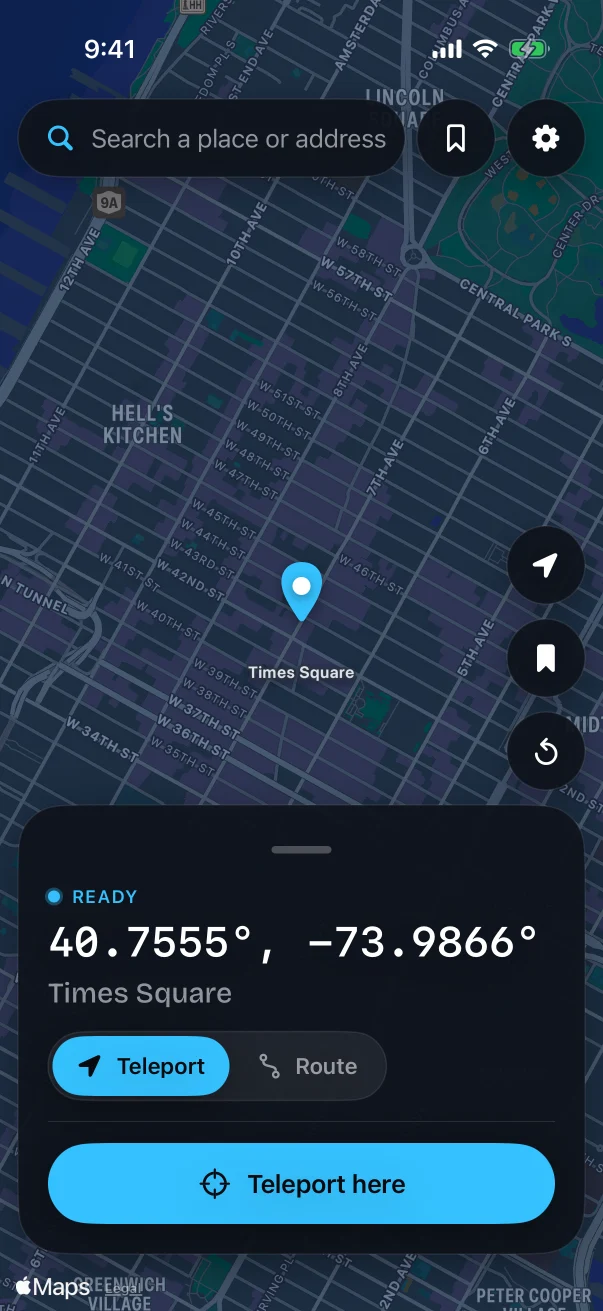
Teleport
Search an address or tap the map, then tap Teleport here. Your iPhone reports the new spot within seconds.
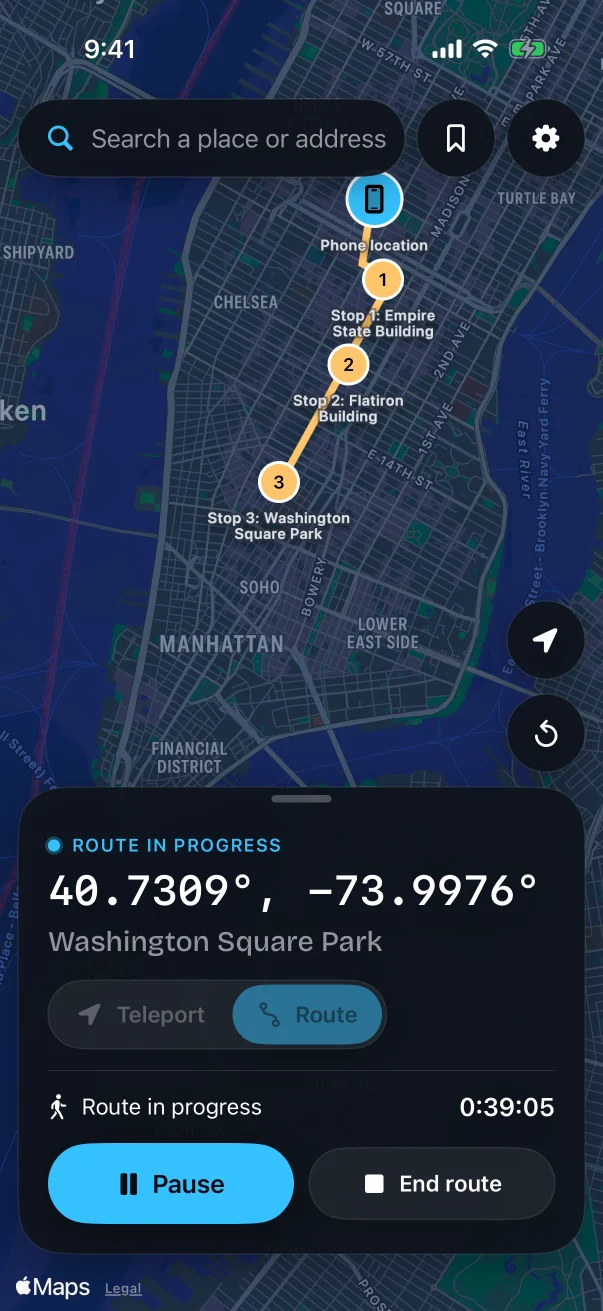
Take a route
Add stops and choose walk, bike or drive. BlurMap travels along real roads at that pace and waits at each stop for as long as you set.
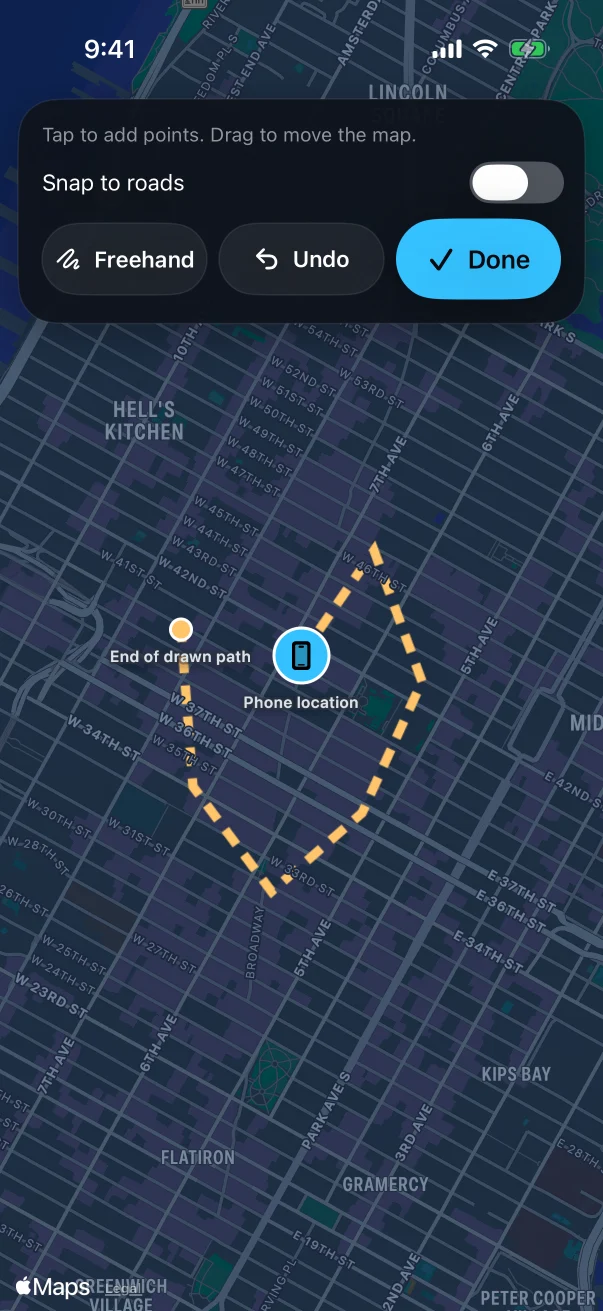
Draw a path
Trace the way you want to go with your finger. Snap it to roads, or keep it exactly as you drew it.
Every app sees the same place.
Your iPhone reports one location, so the apps that ask for it all get the spot you picked.
 Find My
 Life360
 Snapchat
 Instagram
 Apple Maps
 Pokémon GO
Set up in about five minutes.
You need a computer once. After that, BlurMap lives on your iPhone.
Plug in once
Connect your iPhone to a Mac or PC and open BlurMap Setup. It installs the app for you.
Follow the prompts
Setup and the app show you exactly what to tap on your iPhone, one step at a time.
Unplug and go
Your computer can stay off from here. Once a week you tap Renew in the app. No cable needed.
We don't keep where you are.
BlurMap sets your location on the iPhone itself. Only your own signed-in account can reach your iPhone, and everything travels encrypted. We don't store your location or the places you send.
- What we keep
- Your email, your plan, and which iPhone your account is linked to.
- What we never keep
- Your location, your searches, your routes.
Pick a plan.
Every plan starts with 2 free days. Cancel before they end and you won't be charged.
Weekly
About 43¢ a day.
- Included: BlurMap iPhone app: teleport anywhere, save places
- Included: Walk, bike and drive routes
- Included: Works on its own after setup, no computer needed
- Included: Find My, Life360, Snapchat and Pokémon GO see your new location
- Not included: Web App Monthly & Yearly only
- Included: 2-day free trial, cancel anytime
Monthly
About 33¢ a day.
- Included: BlurMap iPhone app: teleport anywhere, save places
- Included: Walk, bike and drive routes
- Included: Works on its own after setup, no computer needed
- Included: Find My, Life360, Snapchat and Pokémon GO see your new location
- Included: Web App: control your iPhone from any computer at blurmap.com/app
- Included: 2-day free trial, cancel anytime
Yearly Best value
About 11¢ a day.
- Included: BlurMap iPhone app: teleport anywhere, save places
- Included: Walk, bike and drive routes
- Included: Works on its own after setup, no computer needed
- Included: Find My, Life360, Snapchat and Pokémon GO see your new location
- Included: Web App: control your iPhone from any computer at blurmap.com/app
- Included: 2-day free trial, cancel anytime
Needs an iPhone on iOS 17 or newer, and a Mac or Windows PC for the one-time setup.
Guides
Plain-English help for changing your iPhone's location.
Questions
What can I use BlurMap for?
Keep your location private from Find My, Life360 and friends' maps, plan a trip before you go, try an app from another city, or just explore. Pick any place on Earth and your iPhone is there.
Which apps see my new location?
Every app that asks your iPhone where it is: Find My, Life360, Snapchat Map, Instagram, Apple Maps and more. They all see the same place, so your story stays consistent.
Is it hard to set up?
No. You use a Mac or Windows PC once, for about five minutes, and BlurMap Setup walks you through each step. After that, everything happens on your iPhone and the computer can stay off. You need an iPhone on iOS 17 or newer.
Will it mess up my iPhone?
No. BlurMap doesn't jailbreak your iPhone or change iOS. Tap reset in the app, or restart your iPhone, and your real location is back right away.
Can it look like I'm really moving?
Yes. Add stops and BlurMap travels between them along real roads at walking, biking or driving speed, and pauses at each stop for as long as you set. You can also draw your own path with your finger.
Do you see my location?
No. The places you pick and save stay on your iPhone. If you use the Web App, your commands travel over an encrypted connection and are never stored. See our Privacy Policy.
Does it work on cellular data?
Yes. BlurMap connects over Wi-Fi when you open it. No Wi-Fi nearby? Turn on Airplane Mode, open BlurMap, and turn Airplane Mode back off as soon as it connects. Your cellular data then keeps working with BlurMap for as long as the app stays open.
Why isn't it in the App Store?
Apple doesn't allow location apps like BlurMap in the App Store, so we deliver it directly. You install it with your own Apple ID, and a free one works. Every 7 days BlurMap asks you to renew, which takes one tap in the app.
How does the free trial work?
Every plan starts with 2 free days, so you can try everything first. Add a card at checkout, and if BlurMap isn't for you, cancel in Account before the 2 days end and you won't pay anything. One free trial per account and per iPhone.
Can I cancel anytime?
Yes, online in a couple of clicks: open Account and click Manage billing. No calls, no emails. You keep BlurMap until the end of the period you paid for.